

Download MSI Afterburner – Graphics Card Overclocking, Real-Time Monitoring, Benchmarking
Overview
MSI Afterburner is a specialized utility designed to enhance the performance of MSI graphics cards through advanced tuning and real-time system monitoring. Developed by MSI, the application serves as a comprehensive tool for users seeking to maximize their GPU’s capabilities. It is particularly suited for gamers, content creators, and hardware enthusiasts who require fine-grained control over their graphics processing units.
The app enables users to adjust core and memory clock speeds, monitor thermal and performance metrics, and conduct benchmark tests to evaluate system responsiveness under load. Its primary purpose is to empower users with the ability to push their hardware beyond default limits while maintaining system stability. Real-world use cases include optimizing gaming performance in resource-intensive titles, improving rendering speeds in video editing workflows, and fine-tuning system behavior during long-term workloads.
The tool supports up to five customizable profiles, allowing users to switch between different configurations based on their current task or application. Although the developer did not provide additional technical details about the underlying architecture or integration with third-party software, the app remains a trusted utility within the PC performance optimization ecosystem. MSI Afterburner continues to serve as a foundational tool for users who prioritize hardware-level control and performance transparency.
Key Features & Functionality
- Triple Over Voltage Control: Allows precise adjustment of core, memory, and auxiliary voltages to achieve higher overclocking stability and performance gains. This feature is ideal for users pushing their GPU beyond stock limits.
- Benchmarking Suite: Enables users to run standardized performance tests and compare results across systems, helping identify bottlenecks or verify the effectiveness of tuning efforts.
- GPU Overclocking: Offers real-time adjustments to core clock and memory clock speeds, allowing users to increase frame rates and rendering efficiency in supported applications.
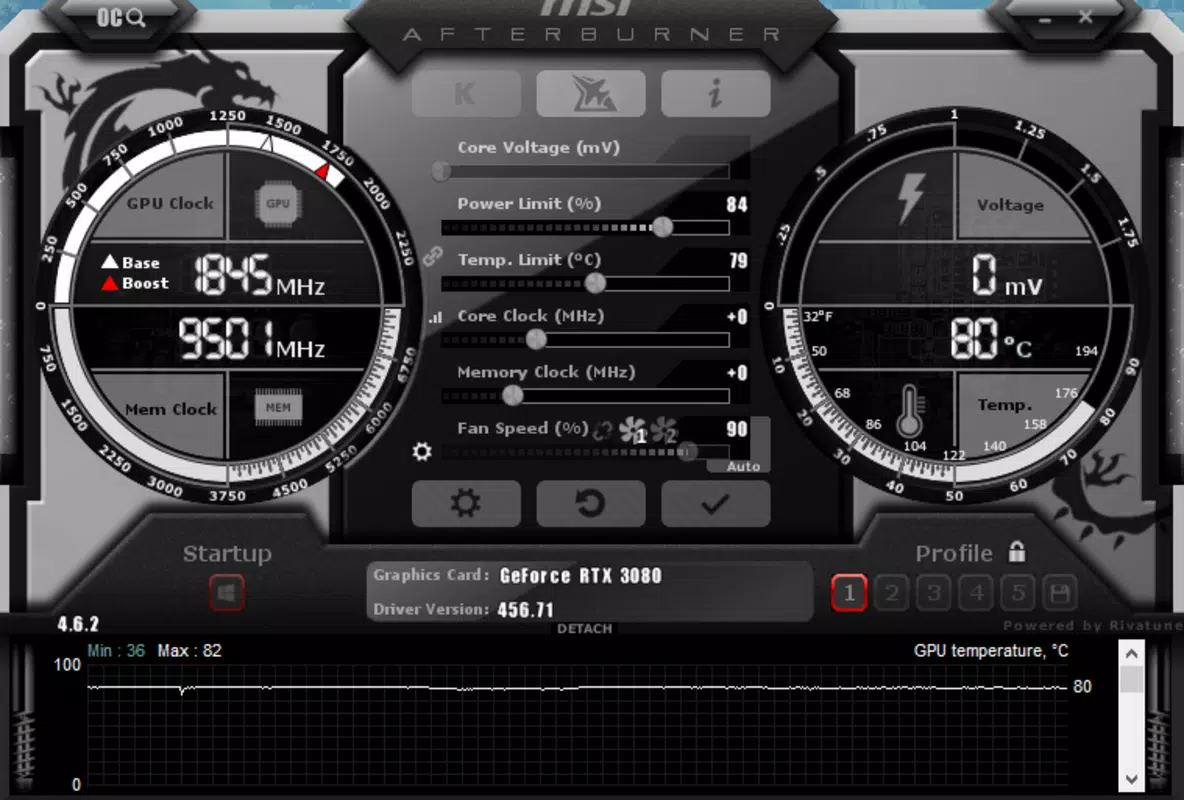
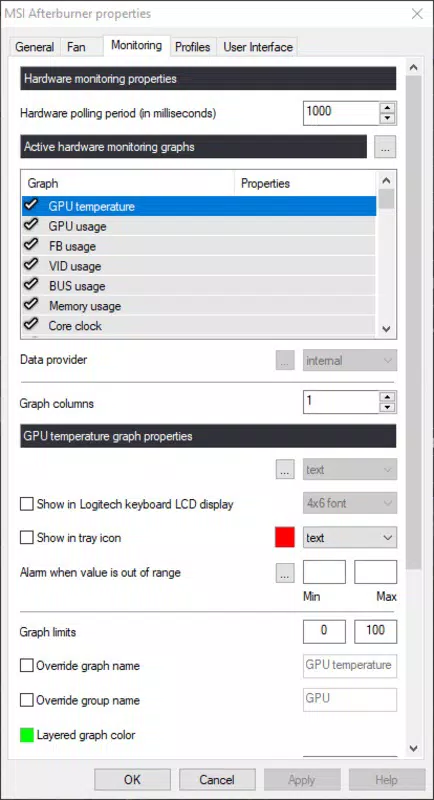
- Real-Time Monitoring Dashboard: Displays live data on temperature, GPU utilization, fan speed, and clock frequencies, providing immediate feedback on system behavior during operation.
- Profile Management: Supports up to five user-defined configurations, enabling quick switching between optimized settings for gaming, productivity, or idle states.
These features collectively support advanced users in tailoring their GPU performance to specific workloads. For example, a gamer can create a high-performance profile for competitive titles and switch to a quieter, lower-power profile during video streaming. The real-time monitoring function ensures users can detect thermal spikes or performance drops instantly, allowing for timely adjustments.
While the app does not include automated tuning or AI-based optimization, its manual control approach appeals to users who prefer direct oversight and customization. The ability to save and load profiles enhances workflow efficiency, particularly for users managing multiple use cases. Although the developer did not list formal integration points with external tools, the utility remains a standalone solution for performance tuning and diagnostics.
Interface, UX & Performance
MSI Afterburner features a minimalist, no-frills interface focused on functionality rather than visual flair. The layout is centered around a compact control panel with sliders for clock speeds and voltage adjustments, alongside a real-time monitoring display that shows key GPU metrics. Navigation is straightforward, with essential tools accessible through clearly labeled tabs and buttons.
The app’s responsiveness is consistent across different system configurations, though the developer did not list formal performance metrics. Users report stable operation during extended overclocking sessions, with minimal impact on system resources. The application runs efficiently in the background without causing noticeable lag or interference with other processes.
Although the developer did not specify compatibility with older Windows versions or low-end hardware, the lightweight footprint of 5.8 MB suggests broad accessibility. The interface remains functional even on displays with lower resolutions, though some users may find the default font size small without scaling options. Stability is maintained during continuous operation, with no reported crashes or memory leaks in standard use.
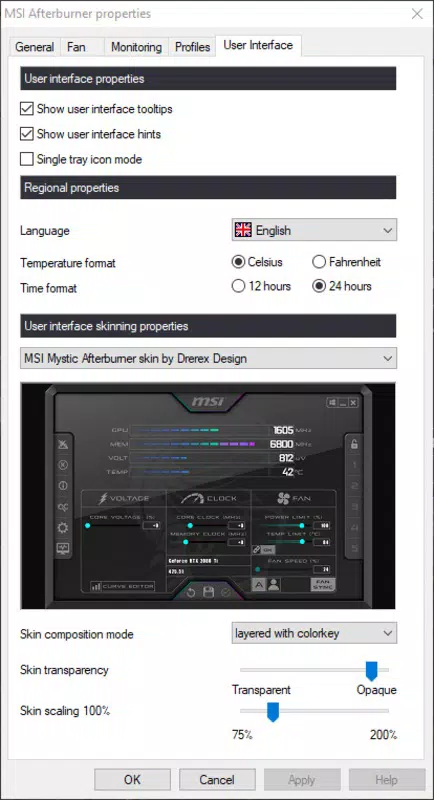
While the app lacks modern UI animations or dynamic themes, its clean design prioritizes clarity and speed. The overall user experience is optimized for power users who value control and precision over aesthetics.
Platform Compatibility & Technical Requirements
MSI Afterburner is designed for the Windows operating system and is compatible with Windows-based desktop systems. The current version, 4.6.0, is available for download with a file size of 5.8 MB. Specific OS requirements were not listed by the developer, nor were minimum hardware specifications provided.
The application does not appear to be available for mobile platforms such as Android or iOS, as it is a desktop-level utility requiring direct access to GPU drivers and system-level controls. Compatibility with older Windows versions such as Windows 7 or 8.1 is not confirmed, but the app’s lightweight nature suggests potential support for legacy systems. Users are advised to ensure their system has a compatible MSI graphics card to fully utilize the app’s features.
Although the developer did not disclose additional technical details, the app’s functionality is tightly integrated with MSI’s GPU drivers, indicating a need for proper hardware and software alignment. The absence of platform-specific limitations in the provided data suggests broad accessibility within the Windows ecosystem, though users should verify compatibility with their specific hardware setup.
Pros and Cons
- Free to download and use with no hidden costs
- Lightweight file size (5.8 MB) ensures fast installation
- Advanced overclocking and voltage control for performance optimization
- Real-time monitoring of GPU temperature, usage, and fan speed
- Support for up to five customizable profiles for quick switching
- Proven reliability among hardware enthusiasts and gamers
- Not available for mobile platforms (Android, iOS)
- Interface may feel outdated to users expecting modern design
- No built-in AI or automated tuning features
- Requires compatible MSI graphics card for full functionality
- Minimal documentation or in-app guidance for beginners
FAQ
Is MSI Afterburner safe to use?
Yes, MSI Afterburner is considered safe when used responsibly. It does not modify system files directly and operates within the GPU driver framework. However, improper overclocking settings may lead to instability or hardware damage, so users should proceed with caution.
Can I use MSI Afterburner on non-MSI graphics cards?
The app is primarily designed for MSI graphics cards. While some features may work on other GPUs, full functionality, especially voltage control and profile integration, is not guaranteed outside of MSI hardware.
Does MSI Afterburner require administrator privileges?
Yes, the application requires elevated permissions to access GPU settings and system-level controls. It must be run as an administrator to function properly.
How often should I update MSI Afterburner?
Updates are recommended to ensure compatibility with new GPU drivers and Windows updates. The latest version, 4.6.0, includes stability improvements and bug fixes.
Can I use MSI Afterburner on Windows 10 and Windows 11?
Yes, the app is compatible with both Windows 10 and Windows 11, though specific OS requirements were not listed by the developer.
Final Thoughts
MSI Afterburner stands as a powerful, no-nonsense utility for users who demand complete control over their graphics card’s performance. Its combination of overclocking tools, real-time monitoring, and profile management makes it an essential companion for gamers, streamers, and hardware tinkerers. While the interface may lack modern polish, its efficiency and reliability are unmatched in its niche.
The app’s free availability and minimal system footprint further enhance its appeal. For users with MSI GPUs seeking to extract every ounce of performance, MSI Afterburner delivers a robust and trustworthy solution. Whether fine-tuning for competitive gaming or optimizing rendering workflows, this tool remains a benchmark in PC performance utilities.
Download MSI Afterburner now.


